Design a Life You Love Living
Turn your one-year vision into daily goals, tasks and habits. One system for building your life on purpose.

You design a life you love. One step at a time.
Start before you have it figured out.
Bring a vision, the intention to move toward it, and the willingness to take the first step.
The rest reveals itself as you go.
Ready to take yours?

“I knew what I wanted. Then the day started deciding for me.”
Messages. Work. Other people's priorities. I could see the life I wanted, but I could not always see how today connected to it.
So I built the missing part. A system that keeps my one-year vision beside the goals, tasks, habits, and weekly choices that make it real.
Because the point was never to follow a perfect plan. It was to stop losing sight of the life underneath it.
See it. Choose it. Live it.
1See It
Start with a real picture of your life one year from now.
2Choose It
Set goals across eight life areas so nothing gets quietly left behind.
3Live It
Turn goals into daily tasks and habits that add up to the direction you chose.
4Reflect
Check your energy. Review your week. Adjust without abandoning.
See the life you want to create.
The planner begins with your Future Vision: a guided exercise across work, money, time, health, relationships and growth. Write it like it's already true.
Then bring it to life with a built-in Vision Board and a free linked Canva template, so the life you're building stays in front of you every day.
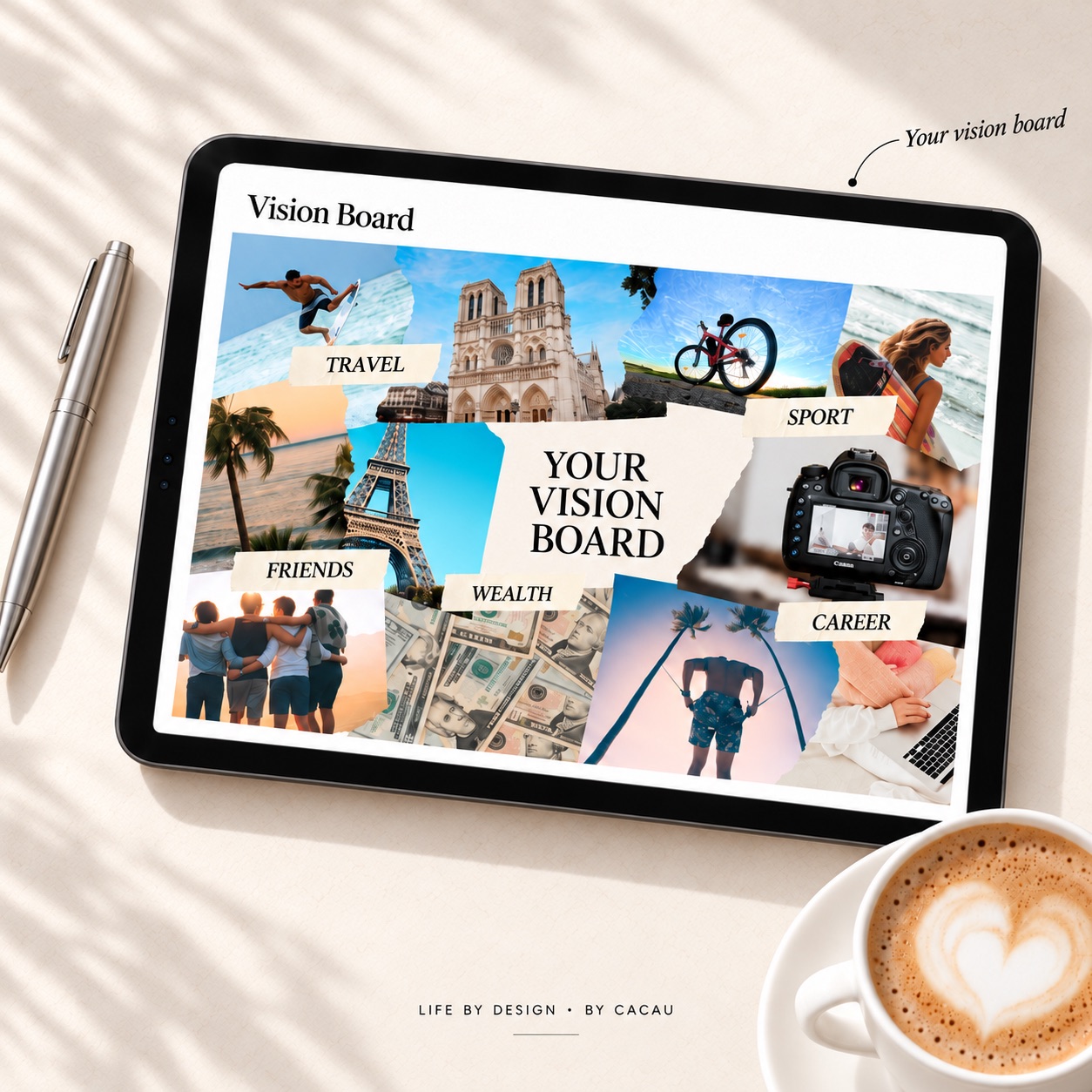
From big goals to today's next step.
Every goal lives under one of eight life areas: family, relationships, health, career, friendship, personal growth, finances, and spirituality.
You can rename them, remove any that don't fit, or add your own. The eight areas are a starting point, not a fixed rule. So your career plans don't quietly outrun your health, your relationships, or anything else that matters to you.
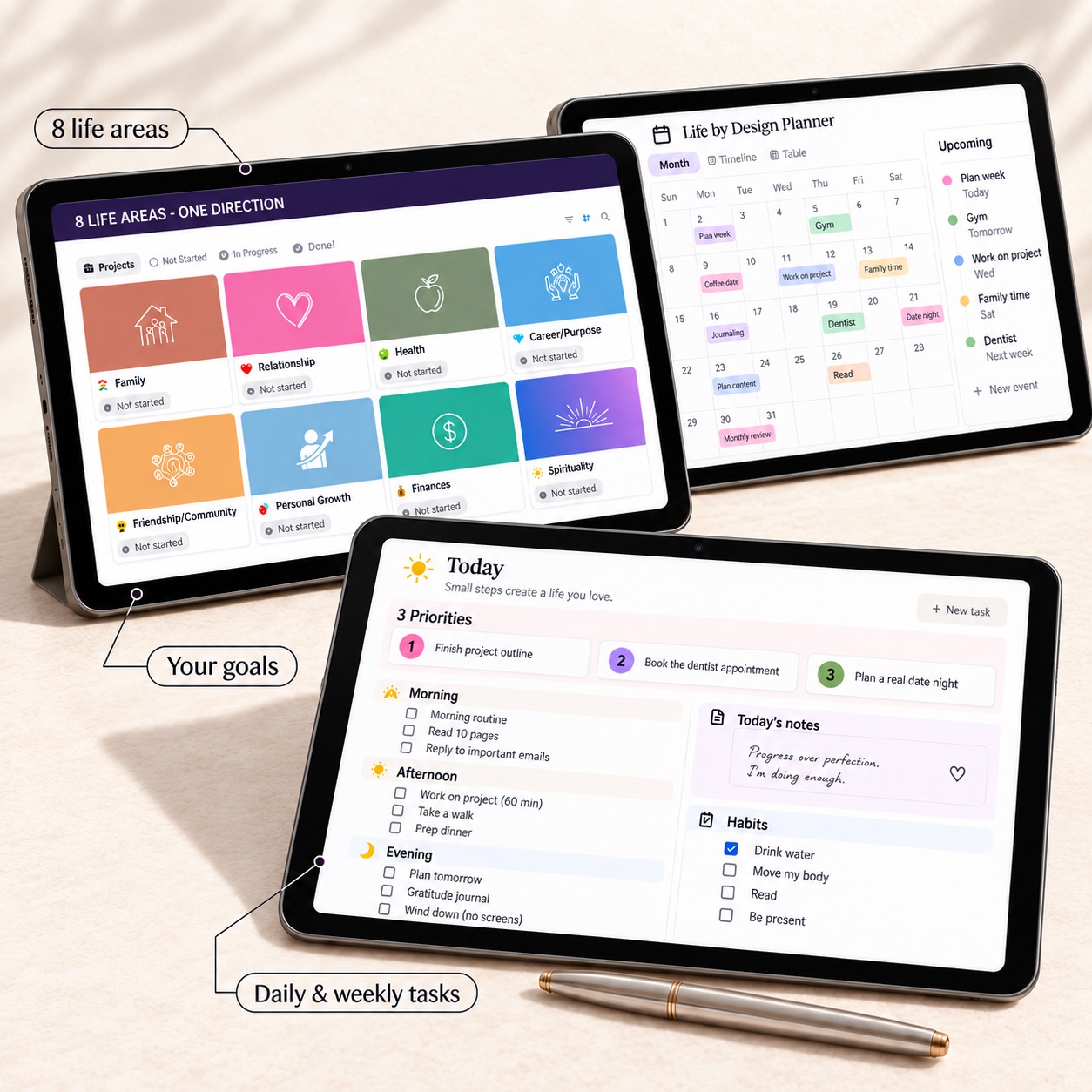
Bring your future into your everyday life.
A monthly calendar, weekly task list and daily priorities split into morning, afternoon and evening. Every task links back to a goal.
Your to-do list has a reason behind it. The timeline builds itself from your dated tasks, so you always know what's coming.
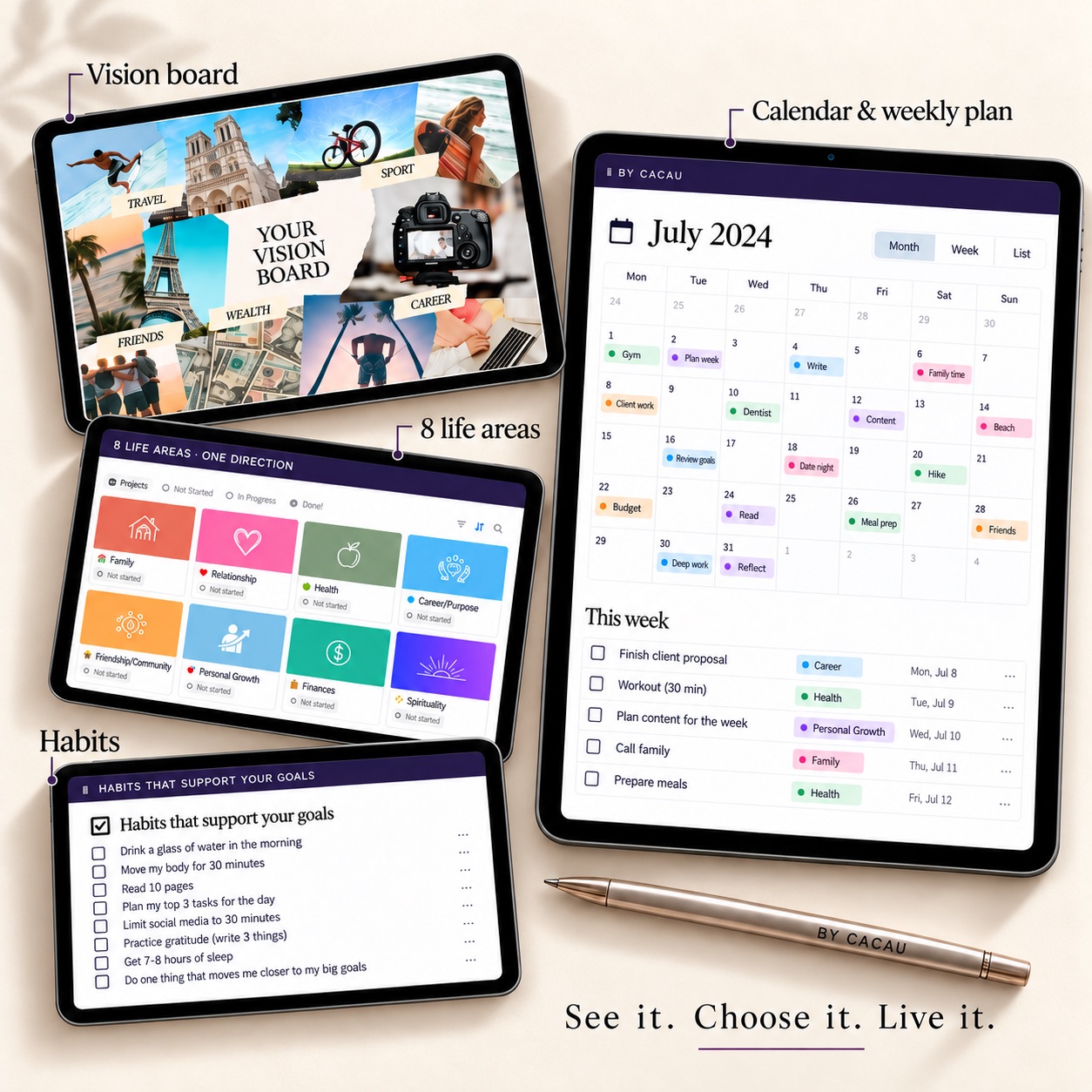
Your to-do list, with a reason behind it.
Move tasks across your board: not started, in progress, done. Each one carries a life-area tag so you can see where your time actually goes.
Plan meals for the week under Health. Finish a project outline under Career. Book a date night under Relationship. Every task connects back to what matters.

A little reflection. A clearer next step.
Log what gave you energy and what drained it each day. A 30-second check, so the pattern shows up before it costs you a season.
Then a five-minute weekly reset: what moved you forward, what mattered less than you thought, and what's the focus next week.
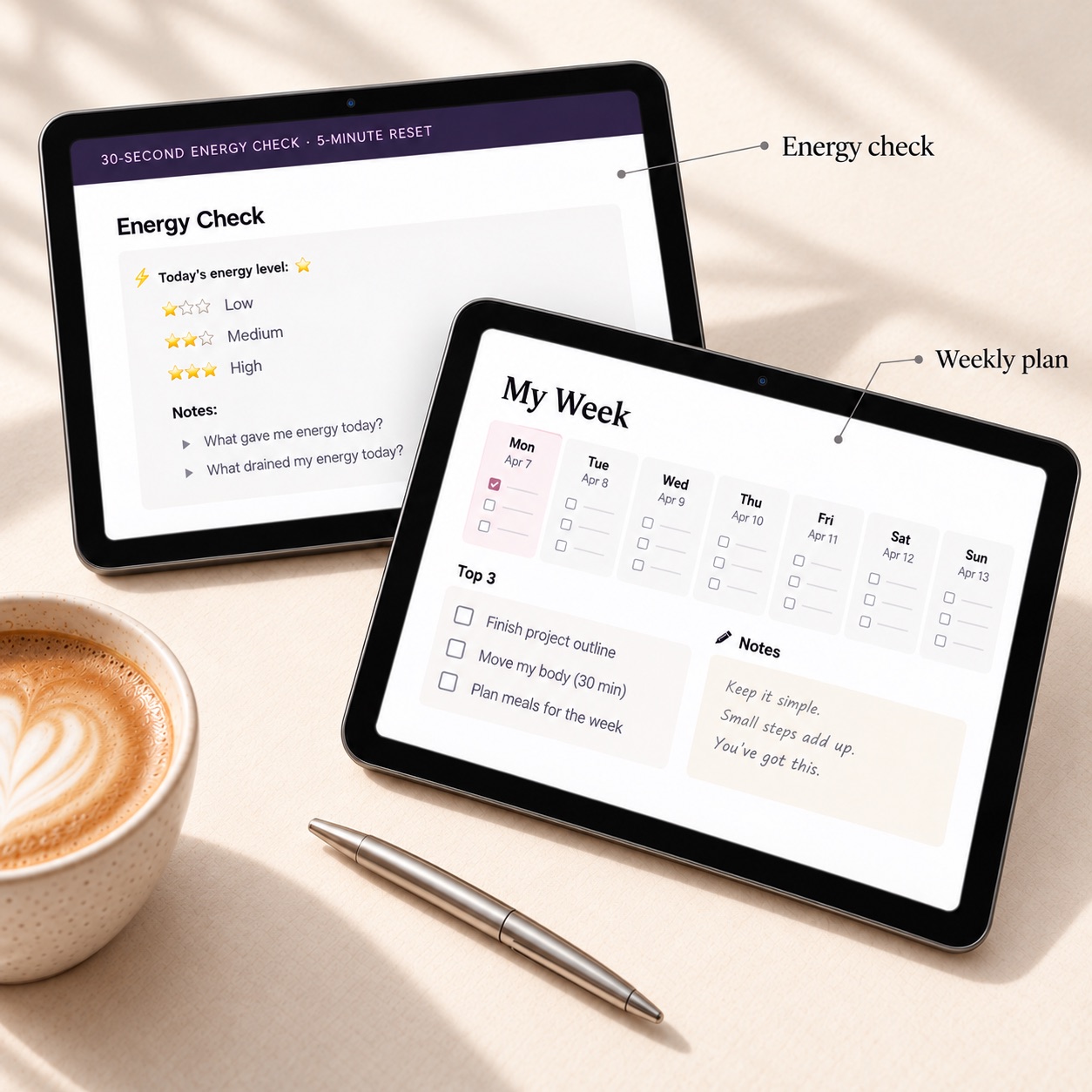
Everything inside the planner, for one price.
Plan
- Future Vision exercise across 6 life dimensions
- Visual Vision Board + free Canva template
- Goals database across 8 life areas
Do
- Monthly calendar with color-coded tasks
- Weekly plan with Top 3 priorities
- Daily planner split by morning, afternoon, evening
- Kanban task board linked to goals
- Habit tracker for daily behaviors
Reflect
- 30-second Energy Check
- 5-minute Weekly Check-in
- Auto-built timeline from your tasks
- Rename it, restructure it, make it yours
Start tonight. Four steps.
Purchase
Get instant access on Whop. No account needed.
Open
You'll get a link to your planner right away.
Duplicate
One click to copy it into your own workspace.
Design
Start with your Future Vision and build from there.
Your life, by design.
Stop letting the day decide for you. Start with the life you actually want, and give it a place in your calendar.
✦ No subscriptions✦ No upsells✦ Instant access